
 This is an App and a Template. License: NeoX Service Published: 16 December 2024 Updated: 18 July 2026 Windows build size: 80.4 MB Template size: 115.72 MB | An app and a template for creating a text translation service. You can use it without renting your own server from the Catalog. The project includes server and client apps. Use the client app as an example and for practical text translation. The server is based on LibreTranslate. Supported languages: Albanian (sq), Arabic (ar), Azerbaijani (az), Basque (eu), Bengali (bn), Bulgarian (bg), Catalan (ca), Chinese (zh), Czech (cs), Danish (da), Dutch (nl), English (en), Esperanto (eo), Estonian (et), Finnish (fi), French (fr), Galician (gl), German (de), Greek (el), Hebrew (he), Hindi (hi), Hungarian (hu), Indonesian (id), Irish (ga), Italian (it), Japanese (ja), Korean (ko), Kyrgyz (ky), Latvian (lv), Lithuanian (lt), Malay (ms), Norwegian (nb), Persian (fa), Polish (pl), Portuguese (pt), Portuguese Brazilian (pt-BR), Romanian (ro), Russian (ru), Slovak (sk), Slovenian (sl), Spanish (es), Swedish (sv), Tagalog (tl), Thai (th), Turkish (tr), Ukrainian (uk), Urdu (ur). Short names of supported languages: sq ar az eu bn bg ca zh cs da nl en eo et fi fr gl de el he hi hu id ga it ja ko ky lv lt ms nb fa pl pt pt-BR ro ru sk sl es sv tl th tr uk ur TO DO: Translating functionality required to be updated. Big memory usage in some cases. |
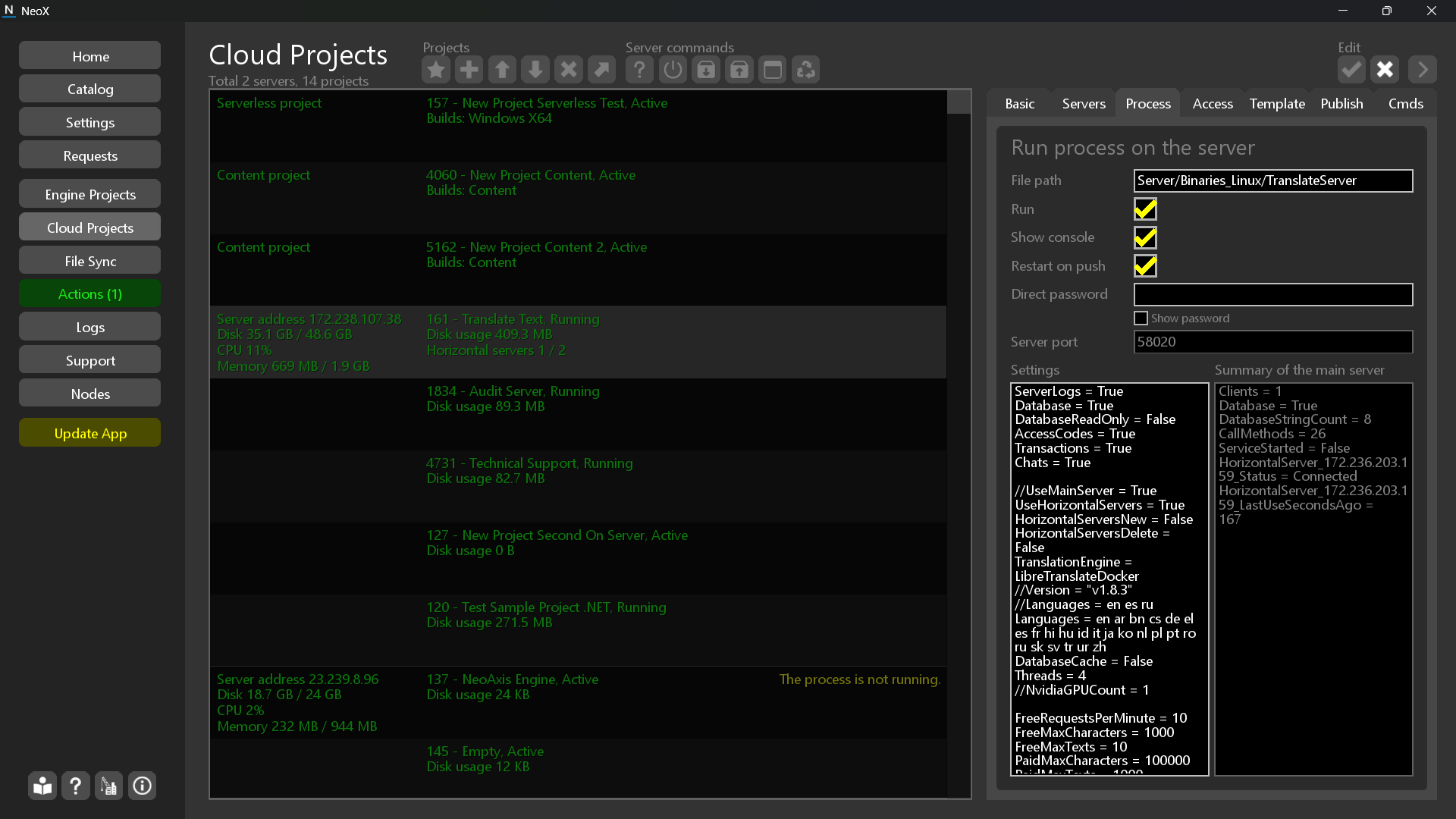
Configure
Configure the swap file in the Servers tab. Set 10GB+.
Process basic settings
- ServerLogs = True //Enables writing logs in the server.
- Database = True //The database must be enabled for this service.
- DatabaseReadOnly = False //The read-only mode of the database.
- AccessCodes = True //Enables the access code functionality.
- Transactions = True //Enables in-project transactions.
- Chats = True //Enables the chat service of the server.
Process translate settings
- UseMainServer = True //Use the main server for real translating.
- UseHorizontalServers = True //Use horizontal servers for real translating.
- HorizontalServersNew = False //Enables automatic allocation of horizontal servers.
- HorizontalServersDelete = False //Enables automatic deletion of horizontal servers.
- TranslationEngine = LibreTranslateDocker //Select the implementation. Set "Dummy" to test.
- Version = "v1.8.3" //Use specified version of LibreTranslate.
- Languages = en es ru //The list of enabled languages.
- DatabaseCache = False //Use caching in the database.
- Threads = 4 //Maximal threads for the server.
- NvidiaGPUCount = 1 //Uses GPU for translating.
- FreeRequestsPerMinute = 10 //The amount of free requests per minute.
- FreeMaxCharacters = 1000 //The maximal characters for free requests.
- FreeMaxTexts = 10 //The maximal text blocks in the request.
- PaidMaxCharacters = 100000 //The maximal characters for paid requests.
- PaidMaxTexts = 1000 //The maximal text blocks in the request for paid requests.
- CharacterCost = 0.00001 //The cost of one character.
Desktop app
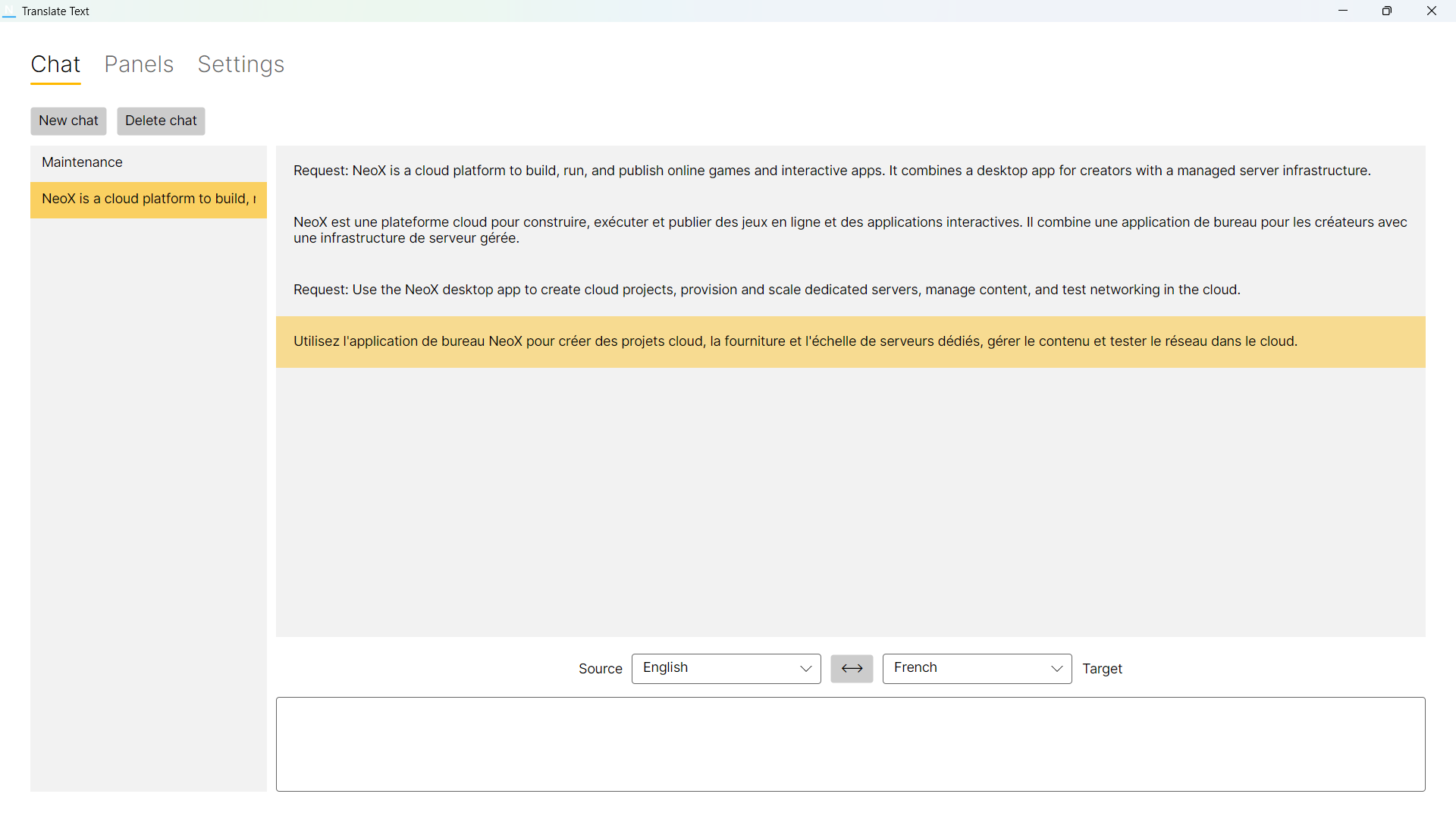
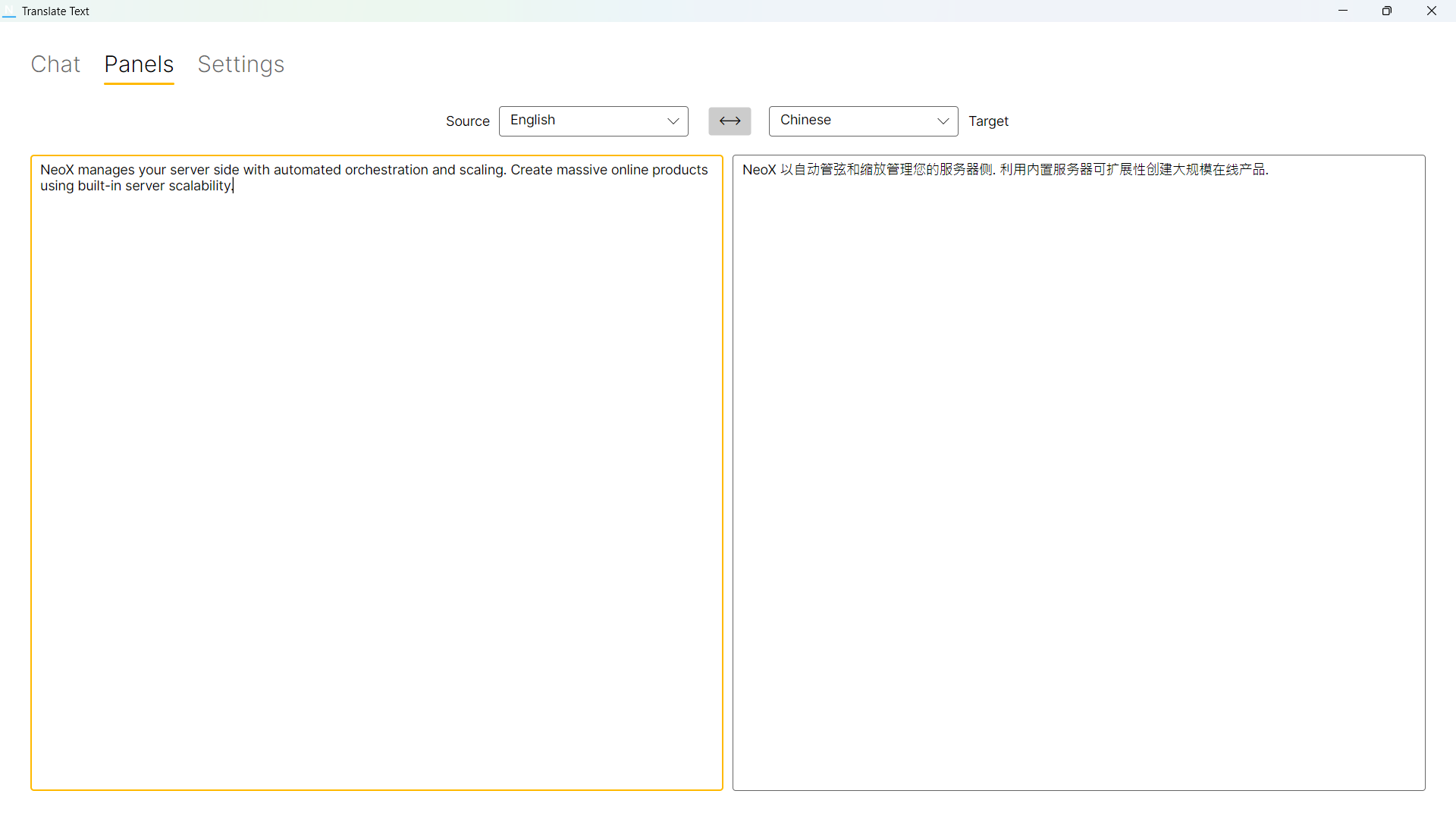
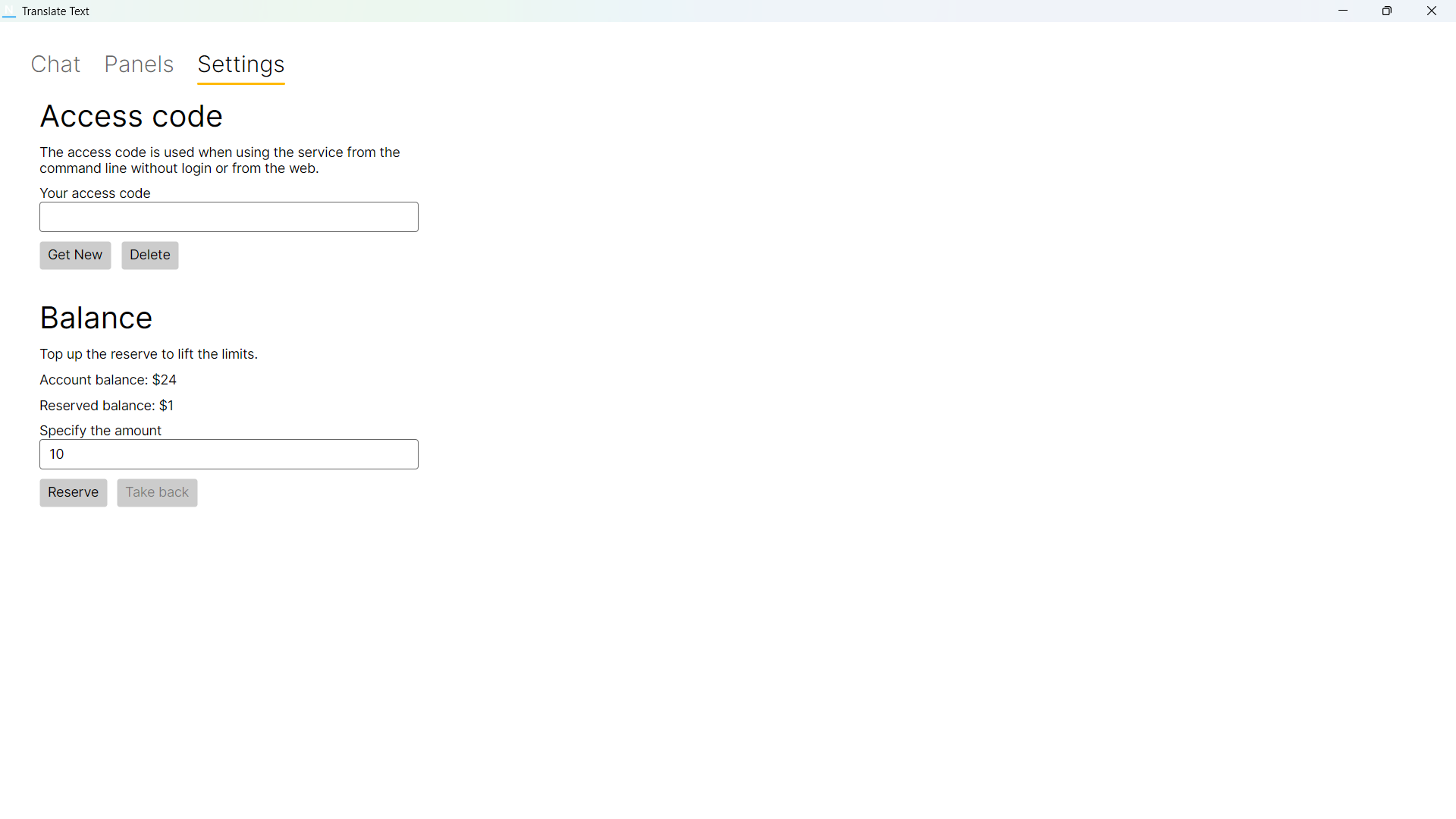
The app contains 3 pages.
- Chat - Translation in the chat form.
- Panels - Translation in the simple two panel form.
- Settings - You can configure access code to use for web API. Can top up the balance of the translate service.
Console app
Client\Publish\WindowsX64Console\TranslateConsole app is designed to automate translations. The code contains the example of using both .NET client API and Web API.
Parameters:
- --project - Project ID to connect via cloud connection settings. The local machine must be logined in.
- --address - The server address.
- --port - The server port.
- --password - The password for the process of the project or the access code.
- --source-language - The source language in the format "en".
- --target-language - The target language in the format "en".
- --text - The text to translate.
- --source-file - The source file path to translate.
- --target-file - The target file path to translate.
Exists three ways to login:
- Use --project to connect via cloud connection settings.
- Use --server, --port and --password to connect direct. Take settings from the Process Settings.
- Use --server, --port and --password with access code. Generate access codes in the client app. Use --password to specify the access code.
Examples:
- TranslateConsole.exe --address 23.239.8.91 --port 58000 --password "FLJDflj" --source-language en --target-language es --text "Hello"
- TranslateConsole.exe --project 1000 --source-language en --target-language es --text "Hello"
- TranslateConsole.exe --project 1000 --source-language en --target-language es --source-file "C:\Temp\Source.txt" --target-file "C:\Temp\Target.txt"
Web access
The services support the access from the web. The code of TranslateConsole app contains the example of using Web API.
Monetization
You can make your special improved paid translation service or any another service with this template.